When I run the command “docker-compose up”, it shows
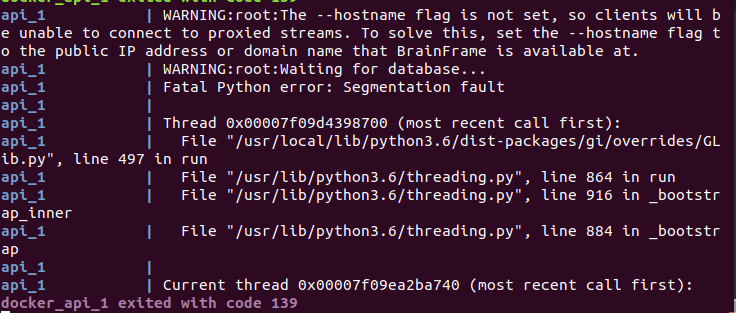 ,then my BrainFrame Client can not be opened.
Archived from the BrainFrame forum. Posted Apr 7, 2020. 11 replies · 2,569 views
When I run the command “docker-compose up”, it shows
,then my BrainFrame Client can not be opened.Hi Shao, thank you for posting your error.
Could you run the following command:
docker-compose logs > logs.txt
and then upload the results to the forum?
First step, try to run the brainframe server without any capsules loaded. Check the capsules/ directory and make sure there are no files there.
Then, restart the BrainFrame server:
docker-compose down && docker-compose up
After doing that, could you try doing the following
sudo mv volumes volumes_bak
and then run
docker-compose down && docker-compose up
If this fails, please send the logs from this failure as well.
Now,the logs is logs.txt (121.1 KB)
Those logs look fine to me. BrainFrame takes a while longer to start after deleting the volumes directory because the database needs to be re-initialized.
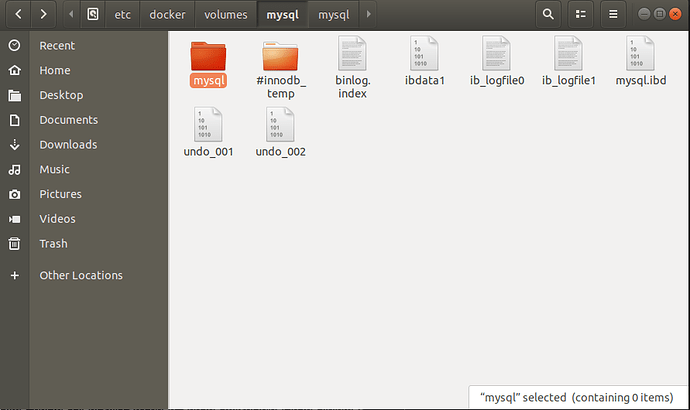
I’ve been waiting for a long time, but the client still can’t open, and the mysql folder in the volumes folder doesn’t seem to have added new files
Looking again, I see that I missed an error log when reading it originally.
proxy_1         | 2020/04/07 06:44:11 [emerg] 1#1: host not found in upstream "api" in /etc/nginx/nginx.conf:28
proxy_1         | nginx: [emerg] host not found in upstream "api" in /etc/nginx/nginx.conf:28
It looks like BrainFrame has started correctly, but that our HTTP proxy is having trouble communicating with it. Would you mind sending me your docker-compose.yml and (if you’ve created one) your .env file?
Thank you for your answer. This is
docker-compose.yml (2.4 KB) .I didn’t create .env file
Okay, everything looks fine on your docker-compose.yml. Let’s check to see if everything is running as expected. Please run docker container ls and send us the results.
Results show

Okay, it looks like now the database is having trouble starting again. Would you mind sending me the updated logs with docker-compose logs > logs.txt?
Here is logs.txt (33.2 KB)
For anyone else who sees these error messages: When BrainFrame is started for the first time, or when the volumes directory is deleted, the database goes through an initialization process. This process can take a fairly long time on slower drives. We came to the conclusion that the database system was probably interrupted during its initialization, resulting in corrupted data. Our fix was to delete the volumes directory again and allow it to re-initialize.
Edit: These were the logs I saw that tipped me off that the database was corrupted.
database_1      | 2020-04-10T07:57:53.440673Z 1 [ERROR] [MY-011096] [Server] No data dictionary version number found.
database_1      | 2020-04-10T07:57:53.441118Z 0 [ERROR] [MY-010020] [Server] Data Dictionary initialization failed.
database_1      | 2020-04-10T07:57:53.441502Z 0 [ERROR] [MY-010119] [Server] Aborting