Hello,
I’m new to this world and need help running the server and client.
I have installed the server successfully and have also installed the client successfully both on ubuntu.
The server is running and when I run the client, i can’t get the client to connect.
I am probably making a silly mistake, I am brand new to this so please help me get the first steps right.
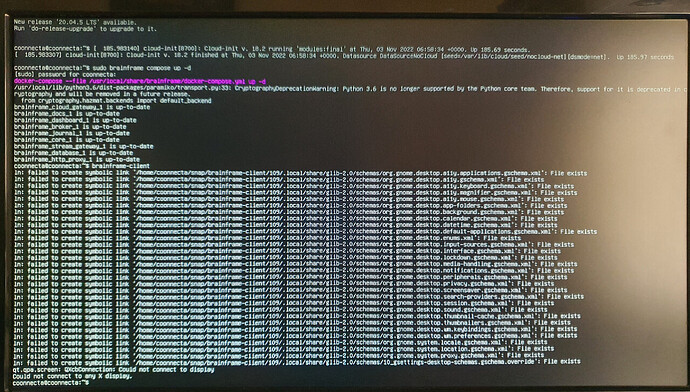
I have attached some screens of what is happening with the client.
the host is the server right? the server is on the same LAN.
I have also created a license.
希望你能帮我开始上手。
你好 Vitor,
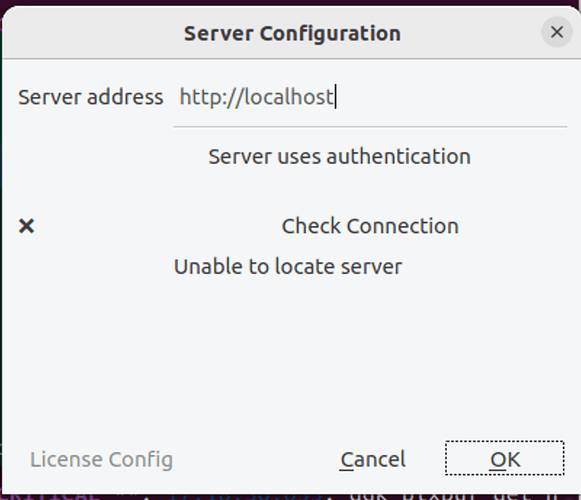
我想你是把服务端和客户端安装在了不同的机器上。你应该把服务器地址从“http://localhost”改成安装服务端的那台机器的真实地址。你还需要勾选“Server uses authentication”(服务器使用认证)才能访问服务端。然后你可以使用“Check Connection”(检查连接)按钮来确认客户端是否连上了服务端。
通常,如果你想体验 BrainFrame 的功能和应用,我强烈建议你把服务端和客户端安装在同一台机器上,这样配置起来非常容易。
希望我的回复对你有帮助。
亲爱的 Chris,
谢谢你的回复。
是的,我之前把服务端和客户端安装在了不同的机器上。
我已经改正了,并尝试把客户端安装在服务端那台机器上,但仍然没有成功。
我还尝试在 Mac 上用 parallels 和 Ubuntu 18.04 安装 brainframe 服务端和客户端,运行客户端时得到了完全相同的错误。
附上的截图显示了我在两台机器上遇到的错误。
希望你能帮忙。
谢谢
此致,
Vitor
你好 Chris。
告诉你一声,我已经找到问题了。
遗憾的是,网站上面向初学者的安装说明不太清楚。
谢谢
此致
Vitor
你好 Vitor,
感谢你的耐心和建议。我们会改进说明,使其对初学者更友好。
希望你觉得 BrainFrame 有帮助。如果有任何需求,请告诉我。
谢谢,
Chris
你好 Chris,
现在我已经装好了,服务端和客户端都在运行。
我给服务端添加了一台 IP 摄像头,运行良好。
现在该添加算法胶囊了。说明让我检查 brainframe 目录是否存在。但它不存在,事情又开始变复杂了。
你有没有可能登录到这台电脑上,帮我完成这些初始步骤?
我不想放弃,但这已经开始花太多时间了。
谢谢
此致
Vitor
你好 Vitor,
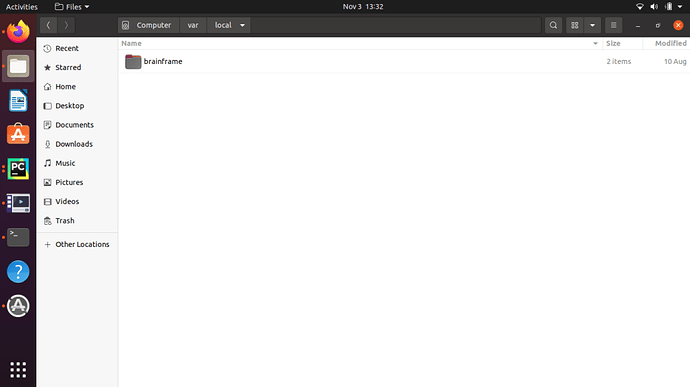
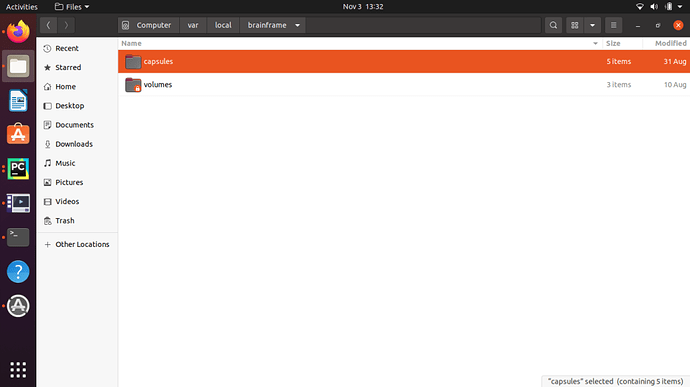
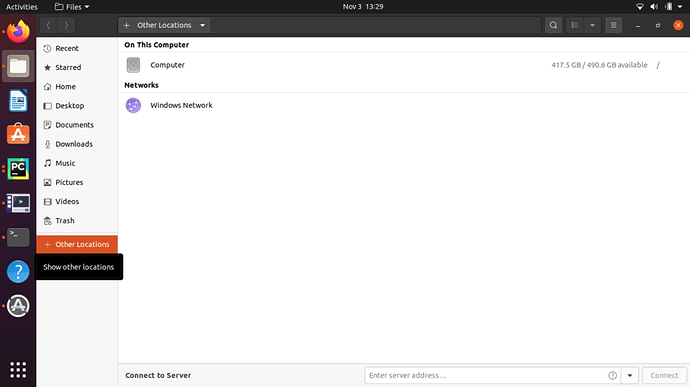
我建议你使用 ubuntu 的图形界面来做这件事,而不是命令行。
- 打开“文件”→ 拉到底部,选择“+ 其他位置”,打开“计算机”图标
你好 Chris,
我安装算法胶囊时仍然很吃力。
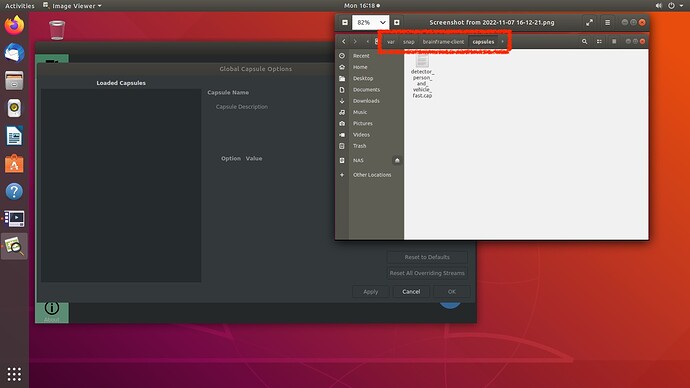
你提到的 brainframe 目录被自动创建在了 var/snap/brainframe-client/ 下。可能是我安装时做错了什么。我在 brainframe-client 下建了 capsules 目录,并把算法胶囊“detector_person_and_vehicles_fast.cap”复制进去,但遗憾的是 brainframe-client 应用里仍然没有显示,所以可能放错了位置。